




로그인

이전 페이지

이전 페이지 내용에 이어서 진행합니다.
Code

Preview
1.
로그인 화면
작업 프로세스
1.
프로젝트 생성
2.
스프링 시큐리티 설정
3.
요청 경로 매핑
Preview
로그인 화면

자동 로그인 체크박스가 추가되었습니다!
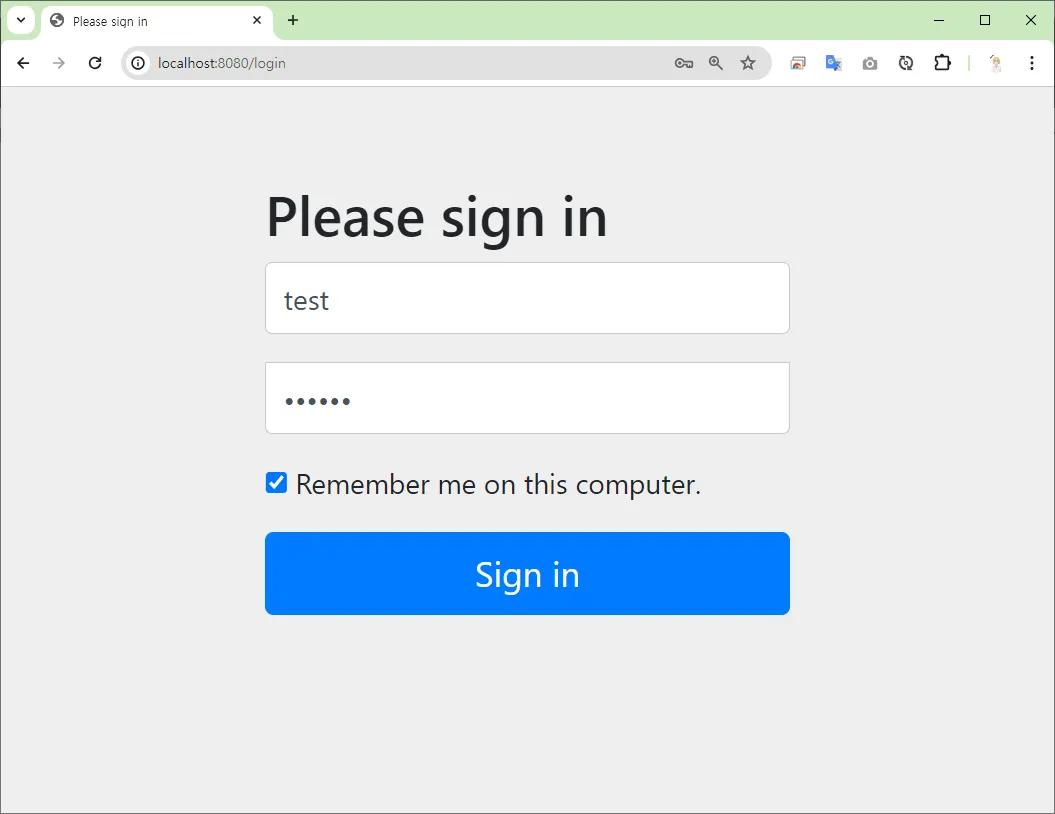
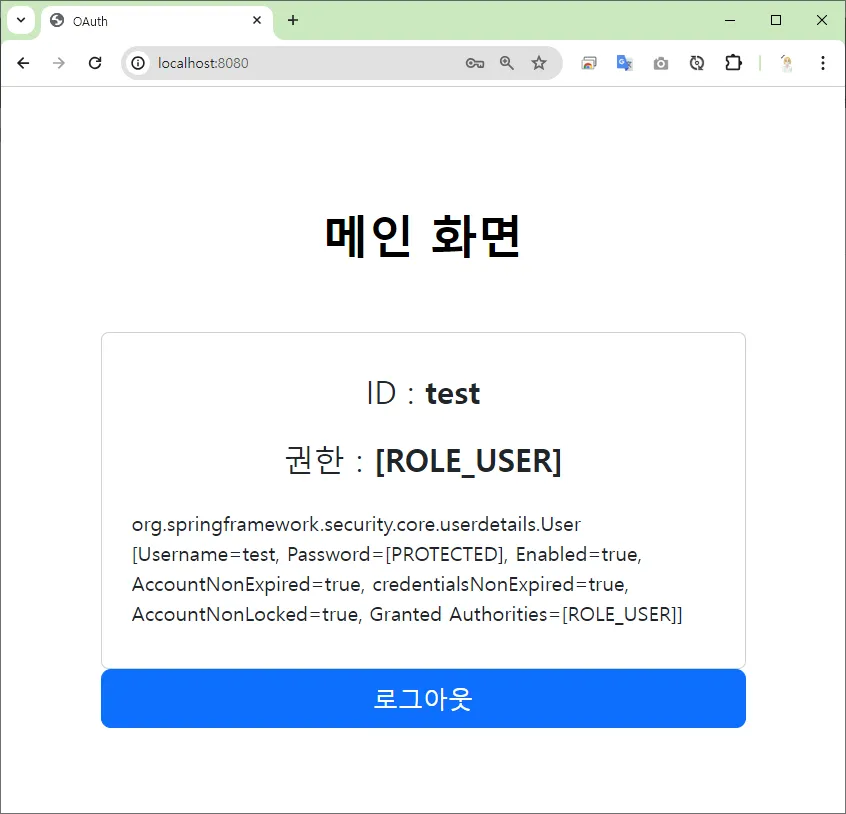
자동 로그인 체크 후, 브라우저를 종료 후 재실행하여도 로그인이 되어 있는 것을 볼 수 있습니다.
메인 화면
작업 프로세스
1.
프로젝트 생성
2.
스프링 시큐리티 설정
프로젝트 생성
 프로젝트 생성 (이전 페이지)
 build.gradle
spring boot 2.x.x spring security 5.x.xplugins {
id 'java'
id 'war'
id 'org.springframework.boot' version '2.7.17'
id 'io.spring.dependency-management' version '1.0.15.RELEASE'
}
group = 'com.aloha'
version = '0.0.1-SNAPSHOT'
java {
sourceCompatibility = '17'
}
configurations {
compileOnly {
extendsFrom annotationProcessor
}
}
repositories {
mavenCentral()
}
dependencies {
implementation 'org.springframework.boot:spring-boot-starter-security'
implementation 'org.springframework.boot:spring-boot-starter-thymeleaf'
implementation 'org.springframework.boot:spring-boot-starter-web'
implementation 'org.mybatis.spring.boot:mybatis-spring-boot-starter:2.3.1'
implementation 'org.thymeleaf.extras:thymeleaf-extras-springsecurity5'
compileOnly 'org.projectlombok:lombok'
developmentOnly 'org.springframework.boot:spring-boot-devtools'
runtimeOnly 'com.mysql:mysql-connector-j'
annotationProcessor 'org.projectlombok:lombok'
providedRuntime 'org.springframework.boot:spring-boot-starter-tomcat'
testImplementation 'org.springframework.boot:spring-boot-starter-test'
testImplementation 'org.mybatis.spring.boot:mybatis-spring-boot-starter-test:2.3.1'
testImplementation 'org.springframework.security:spring-security-test'
testRuntimeOnly 'org.junit.platform:junit-platform-launcher'
}
tasks.named('test') {
useJUnitPlatform()
}
Java
복사
스프링 시큐리티 설정
 자동 로그인 설정
http.rememberMe(me -> me.key("aloha")
.tokenRepository(tokenRepository())
.tokenValiditySeconds(60 * 60 * 24 * 7));
Java
복사
 자동 로그인 저장소 빈 등록
•
persistent_logins 테이블로 자동 로그인 정보(아이디, 시리즈, 토큰)를 관리합니다.
•
직접 DB에 테이블을 생성하여도 좋고, 아래 코드에서는 자동으로 생성되도록 메소드를 정의하였습니다.
persistent_logins
create table persistent_logins (
username varchar(64) not null
, series varchar(64) primary key
, token varchar(64) not null
, last_used timestamp not null
);
SQL
복사
persistent_logins 테이블 자동 생성 코드
repositoryImpl.getJdbcTemplate().execute(JdbcTokenRepositoryImpl.CREATE_TABLE_SQL);
Java
복사
이 코드를 통해서 JdbcTokenRepositoryImpl 객체에 미리 정의된 CREATE_TABLE_SQL 를 실행하여 persistent_logins 을 자동으로 생성되게 합니다. 기존에 테이블의 생성되어 있으면 예외가 발생할 수 있는데, 이를 예외 처리합니다.
/**
* 🍃 자동 로그인 저장소 빈 등록
* ✅ 데이터 소스
* ⭐ persistent_logins 테이블 생성
create table persistent_logins (
username varchar(64) not null
, series varchar(64) primary key
, token varchar(64) not null
, last_used timestamp not null
);
* 🔄 자동 로그인 프로세스
* ✅ 로그인 시
* ➡ 👩💼(ID, 시리즈, 토큰) 저장
* ✅ 로그아웃 시,
* ➡ 👩💼(ID, 시리즈, 토큰) 삭제
* @return
*/
@Bean
public PersistentTokenRepository tokenRepository() {
// JdbcTokenRepositoryImpl : 토큰 저장 데이터 베이스를 등록하는 객체
JdbcTokenRepositoryImpl repositoryImpl = new JdbcTokenRepositoryImpl();
// ✅ 토큰 저장소를 사용하는 데이터 소스 지정
// - 시큐리티가 자동 로그인 프로세스를 처리하기 위한 DB를 지정합니다.
repositoryImpl.setDataSource(dataSource);
// persistent_logins 테이블 생성
try {
repositoryImpl.getJdbcTemplate().execute(JdbcTokenRepositoryImpl.CREATE_TABLE_SQL);
}
catch (BadSqlGrammarException e) {
log.error("persistent_logins 테이블이 이미 존재합니다.");
}
catch (Exception e) {
log.error("자동 로그인 테이블 생성 중 , 예외 발생");
}
return repositoryImpl;
}
Java
복사
 ~/config/SecurityConfig.java
@Slf4j
@Configuration
@EnableWebSecurity
public class SecurityConfig {
@Autowired
private DataSource dataSource;
// 스프링 시큐리티 설정 메소드
@Bean
public SecurityFilterChain securityFilterChain(HttpSecurity http) throws Exception {
// ✅ 인가 설정
http.authorizeRequests(requests -> requests
.antMatchers("/**").permitAll()
.anyRequest().permitAll()
);
// 🔐 폼 로그인 설정
http.formLogin(withDefaults());
// 🔄 자동 로그인 설정
http.rememberMe(me -> me.key("aloha")
.tokenRepository(tokenRepository())
.tokenValiditySeconds(60 * 60 * 24 * 7));
return http.build();
}
/**
* 👮♂️🔐 사용자 인증 관리 빈 등록 메소드
* JDBC 인증 방식
* ✅ 데이터 소스 (URL, ID, PW) - application.properties
* ✅ SQL 쿼리 등록
* ⭐ 사용자 인증 쿼리
* ⭐ 사용자 권한 쿼리
* @return
*/
@Bean
public UserDetailsService userDetailsService() {
JdbcUserDetailsManager userDetailsManager
= new JdbcUserDetailsManager(dataSource);
// 사용자 인증 쿼리
String sql1 = " SELECT username, password, enabled "
+ " FROM user "
+ " WHERE username = ? "
;
// 사용자 권한 쿼리
String sql2 = " SELECT username, auth "
+ " FROM user_auth "
+ " WHERE username = ? "
;
userDetailsManager.setUsersByUsernameQuery(sql1);
userDetailsManager.setAuthoritiesByUsernameQuery(sql2);
return userDetailsManager;
}
/**
* 🍃 자동 로그인 저장소 빈 등록
* ✅ 데이터 소스
* ⭐ persistent_logins 테이블 생성
create table persistent_logins (
username varchar(64) not null
, series varchar(64) primary key
, token varchar(64) not null
, last_used timestamp not null
);
* 🔄 자동 로그인 프로세스
* ✅ 로그인 시
* ➡ 👩💼(ID, 시리즈, 토큰) 저장
* ✅ 로그아웃 시,
* ➡ 👩💼(ID, 시리즈, 토큰) 삭제
* @return
*/
@Bean
public PersistentTokenRepository tokenRepository() {
// JdbcTokenRepositoryImpl : 토큰 저장 데이터 베이스를 등록하는 객체
JdbcTokenRepositoryImpl repositoryImpl = new JdbcTokenRepositoryImpl();
// ✅ 토큰 저장소를 사용하는 데이터 소스 지정
// - 시큐리티가 자동 로그인 프로세스를 처리하기 위한 DB를 지정합니다.
repositoryImpl.setDataSource(dataSource);
// persistent_logins 테이블 생성
try {
repositoryImpl.getJdbcTemplate().execute(JdbcTokenRepositoryImpl.CREATE_TABLE_SQL);
}
catch (BadSqlGrammarException e) {
log.error("persistent_logins 테이블이 이미 존재합니다.");
}
catch (Exception e) {
log.error("자동 로그인 테이블 생성 중 , 예외 발생");
}
return repositoryImpl;
}
}
Java
복사